

We are increasingly talking about reducing working hours in our companies. The 4-week work week is a topic of optimism. From an employee's point of view, this solution seems ideal. Who among us wouldn't want one more day off per week? For what it's worth, employers, in the vast majority, are concerned about a drop in productivity - that is, lower efficiency caused precisely by a reduction in working hours.
The document scanner has become a vital tool today that can transform paper-based processes into streamlined digital workflows. Modern scanners offer advanced features that are designed to increase productivity, improve accuracy and security. The simplest example is a free mobile app such as Adobe Scan, which can easily scan documents and photos to PDF, with the added bonus of automatic text recognition. The app itself also includes features that make it easier to organize scanned files and edit them.
Below I have described ten scanner functions that are relevant from the user's point of view in daily work.
1. high-speed scanning with document scanner
Time is money! High-speed document scanners scan at often dizzying speeds. Take the Ricoh fi-8150 as an example, which scans 50 sheets per minute or 100 pages. The Epson WorkForce DS-870 model is already 65 sheets per minute, which translates into 130 pages per minute, and the competition from the Brother ADS-4900W is a performance of 60 sheets per minute, or 120 pages. High-speed document scanners are the ability to process large amounts of documents in a short period of time. In this way we create digital copies of documents and photos of good quality.
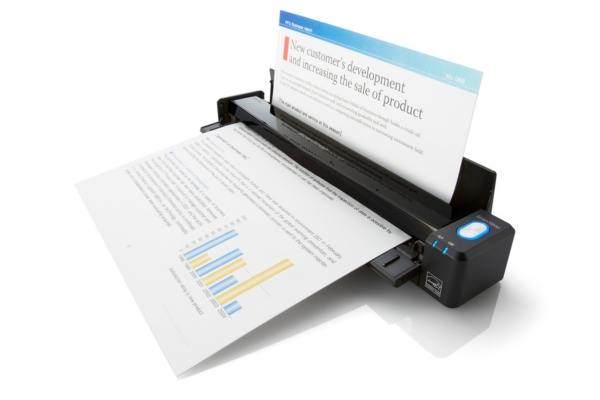
Of course, it's a good idea to look for document scanners with an automatic document feeder (ADF), which is where we place the documents to be scanned. Depending on our needs, let's choose scanners with the highest possible scanning speed (PPM). This is of great importance especially when scanning in bulk - a large number of documents, such as in an archive. There are also other options available on the market, including a free document scanner. These are applications for scanning using the camera from a phone or tablet. I myself use such a free scanner which offers high quality scanning, automatic text recognition (OCR) and management of scanned files. We can save photos as JPEGs or after conversion to PDF.
2. two-sided (duplex) scanning
Virtually every scanner sold on the Polish market today has duplex scanning capabilities. It allows simultaneous scanning of both sides of a document with a single pass through the scanner. It is worth mentioning that mobile scanners, such as the Ricoh Scansnap ix100, among others, do not have this capability. In these types of models, you simply continue scanning and put the sheet of paper on the other side. Of course, duplex is important and this feature not only saves time, but also minimizes the risk of missing information on double-sided documents. However, it directly affects the increase in the price of the device, since a second image sensor must be installed in the scanner.
3. optical character recognition (OCR)
One of the most important, if not the most important item on the entire list of scanner features that improve our work is precisely OCR technology, which allows us to scan and convert scanned images into editable text. This allows you to easily edit search and self-organization of documents. This is an invaluable functionality for archiving and quick cataloging and retrieval of documents. It is thanks to OCR technology that scanned documents have the ability to edit text and reassemble it and prepare publications.
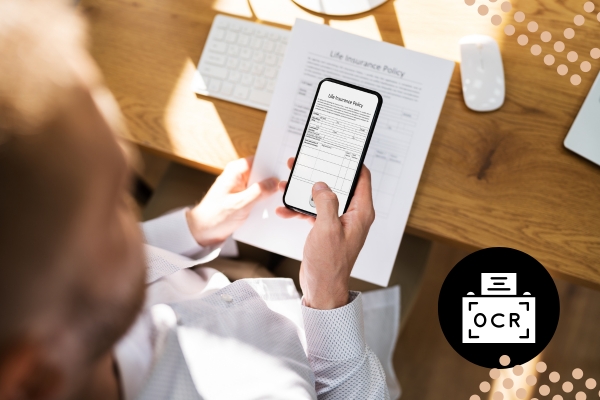
This is a feature that makes it extremely easy to edit scanned documents on computers and via mobile devices. An important detail that is often overlooked when buying a scanner, and later turns out - how is it not there? is the Polish language. So that OCR is in Polish and recognizes Polish characters.
4. advanced image processing
Another important point - no less important than the OCR or image processing described above - is advanced image processing. Scanners that have this feature (such as a photo scanner), can automatically correct skewed images, adjust brightness and contrast, remove shadows, and even remove blank pages! This ensures high quality scans without the need for manual processing. In addition, document scanning includes features such as automatic edge detection, scan editing and integration with data storage systems, making it more accessible and useful.
5. integration with cloud services
Modern scanners have the ability to directly upload documents to the cloud. We can send the scanned content to the clouds i.e. Google Drive, Dropbox or OneDrive. This functionality is very useful when we work in a team. It makes it easier to share documents, so we can access them from anywhere, which promotes collaboration and improves the efficiency of remote work.
6. support for multiple file formats
A very important part of the scanner itself is the software offered by the manufacturer that comes with the scanner. Scanners that support various formats like PDF, JPEG, TIFF or Microsoft Word or Excel increase our flexibility in work and document management itself. Exporting scanned data to Excel, without having to look for additional software or use Web converters, is a very useful feature. Of course, it's not the most perfect editing (it all depends on the complexity of the scanned document), but for the most part it's an excellent base and is a practical advancement, compared to working manually. By creating a searchable PDF document, we can make it easier to find specific information in large files. PDF files themselves, thanks to OCR technology, can be edited and searched which, in terms of the sheer usefulness of such a file, is extremely helpful.
7. automatic document feeder (ADF)
The automatic feeder or ADF allows multiple pages to be loaded into the scanner at once, eliminating the need to manually feed each page. This feature is useful for companies that regularly scan a large number of documents or often mixed batches of documents ie invoices of different sizes, receipts. Scanning documents of different formats from the ADF for an accountant is very convenient. All scanned documents are saved in one directory on the disk.

8. document security
In industries that deal with confidential information, security of transmitted information (including sensitive data) is the most important part of the job. Obviously, RODO is relevant for any business. Some scanners offer encryption or password protection for PDF files to ensure document confidentiality. Security also means access to integration with authentication devices, for example, the Ricoh fi-7100 scanner has the ability to authenticate with an NFC card, for example. This is important when several employees have access to a single document scanner and you want the scanned documents to go 100% to a location you define, rather than accidentally to another undesirable location.
9. wireless and mobile scanning
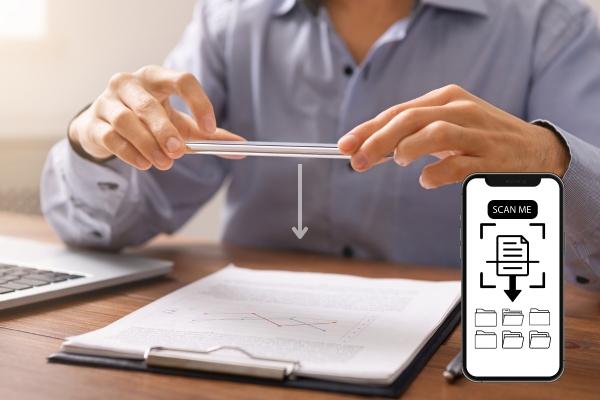
A cool gadget can be a mobile app that allows you to wirelessly upload documents directly to your smartphone, tablet or computer. Such flexibility allows you to scan from anywhere in the office or in the field. Scansnap series scanners and especially mobile solutions like the ix100 have such an app. Another example of such an application is Adobe Scan, which allows scanning documents and photos on mobile devices, converting scans to PDF files, and recognizing text and editing scanned documents, further increasing its usefulness in the daily work of a mobile merchant.
10. configurable scanning profiles
Configuring scanning profiles allows users to set preferred parameters, such as resolution, file format and destination. When we define such a profile when using it, we can be sure that the scanned content will look the way we set up for ourselves. If we set scanning to a network folder, our digital documents will always "land" there.
Using these features in your daily work with document scanners not only saves time, but also improves document management and security. Investing in a modern document scanner can contribute to a more organized, efficient and productive work environment. In addition, a PDF scanner offers features such as automatic text recognition (OCR) and the ability to edit scanned documents, increasing versatility and ease of use.

d.murawski@stovaris.pl
tel: +48 691 701 175
Daniel joined the Stovaris Team in 2020. He has many years of experience in coordinating sales projects. He is distinguished by his commitment and interpersonal skills, which facilitates his networking and negotiation skills. At Stovaris, he is responsible for the brands: Fujitsu, Panasonic, Kofax, Fujifilm, Proget and Silex.